
We’ve had our Yoto Player for 3 years now, recently upgrading to the 3rd generation model and, honestly, it’s been one of the best things we’ve ever bought for the children. We now have 2 Yoto Players and a Yoto Mini, that’s how much of a fan I am!
I love it so much that I wanted to write a proper Yoto Player review to give you all the important details if you’re thinking about buying one for your family. So here’s everything you need to know about the Yoto, from setting it up to getting the most from the features.
What is a Yoto Player?
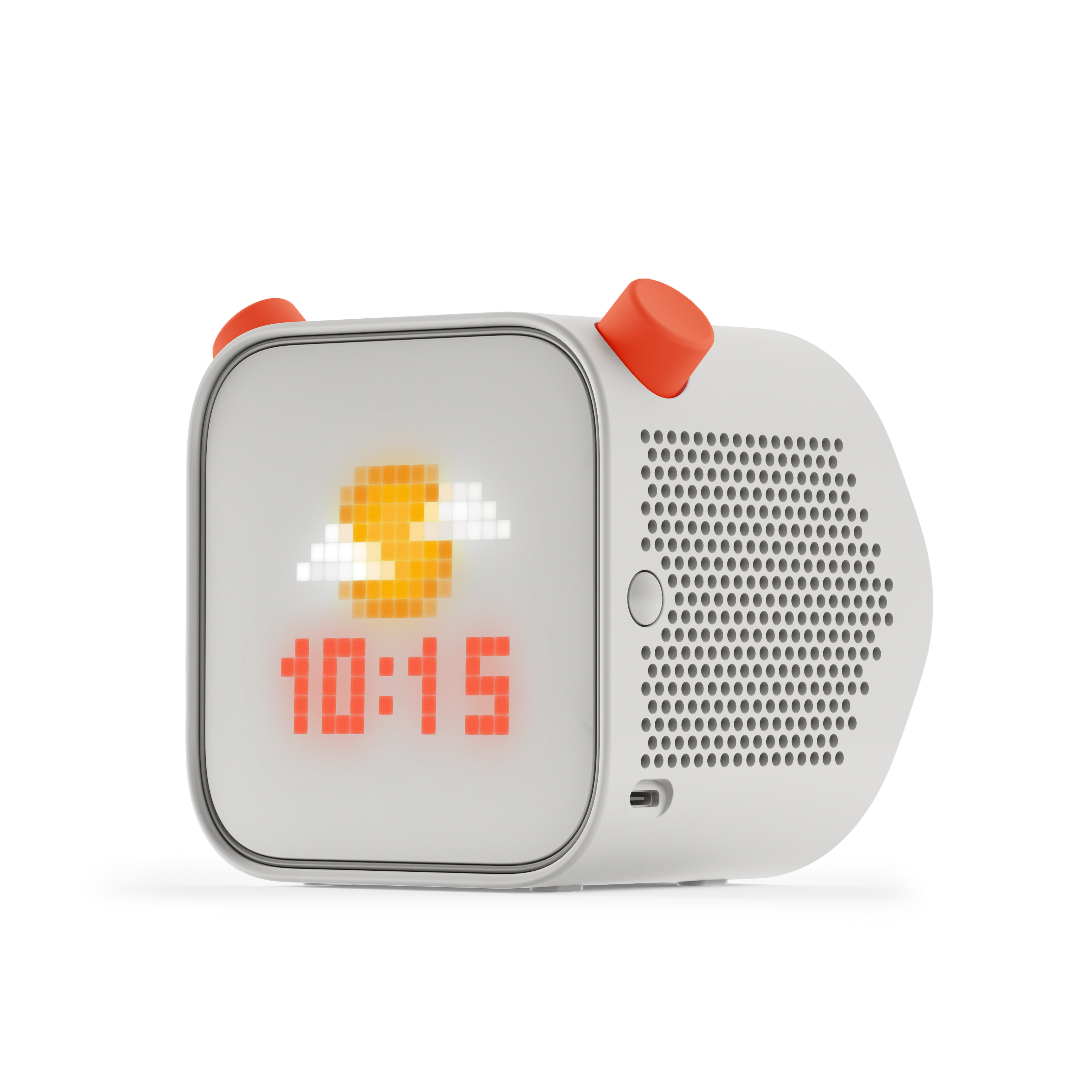
Essentially the Yoto Player is a kid-friendly audio player. It’s designed to put kids in control, with hundreds of stories and songs available on Yoto Cards that you simply slot into the top of the box to play.
It’s a very cool, screen-free player with no camera, no microphone, and no ads – it’s basically been designed exactly with children in mind and it’s so simple to use they can really take ownership of the device.
The styling is contemporary and stylishly minimalist but with plenty of kid-appeal, and the player feels robust enough to survive the primary school years (and beyond), no sweat.

How our family uses the Yoto Player
For us, the Yoto hasn’t replaced bedtime stories, it works alongside them. We still read to and with our children each night, then my son likes to listen to stories on his Yoto Player to help him fall asleep. It’s really part of our bedtime routine and I couldn’t imagine not having a Yoto now. He also likes to chill out in his room at the weekend listening to his cards – yes to screen-free entertainment!
Does the Yoto Player require Wifi or Bluetooth?
While you do need Wifi to set up the Yoto Player initially, once this is done it can be used without your Wifi. When you insert a Yoto Card into your Yoto Player it instantly downloads the content, so once you’ve done this with your cards you can use the Yoto wherever you like. Our Yoto comes on every holiday with us and we’ve had no problems with it, whether that’s in a campsite in the Peak District or a little villa in the middle of a vineyard in Portugal with zero internet.
How do you set up a Yoto Player?
Set up is a total breeze – music to any parent’s ears when you have a child desperate to use their Yoto STRAIGHT AWAY.
To set up your Yoto Player you first need to download the Yoto app (more on this later). Once you’ve done this, insert the Welcome Card into your player and follow the prompts, which involves pressing the 2 buttons on the player at the same time to reveal a code to type into the app to link your Wifi. It literally takes minutes to do.

How do you use the Yoto?
Because the Yoto Player has been designed for kids to use independently, it features a very simple set of controls. There’s a button on the side of the player to turn it on and off (although we tend to leave ours plugged in and turned on most of the time) and 2 chunky buttons at the top for changing the volume or brightness and skipping back and forth through chapters.
To access the Yoto Radio and Yoto Daily (a cute kid-friendly podcast) you just press these chunky buttons. We started using a Yoto Player when my son had just turned 5 and he had no issues operating it himself, getting to grips with what does what almost immediately.
How does the Yoto app work?
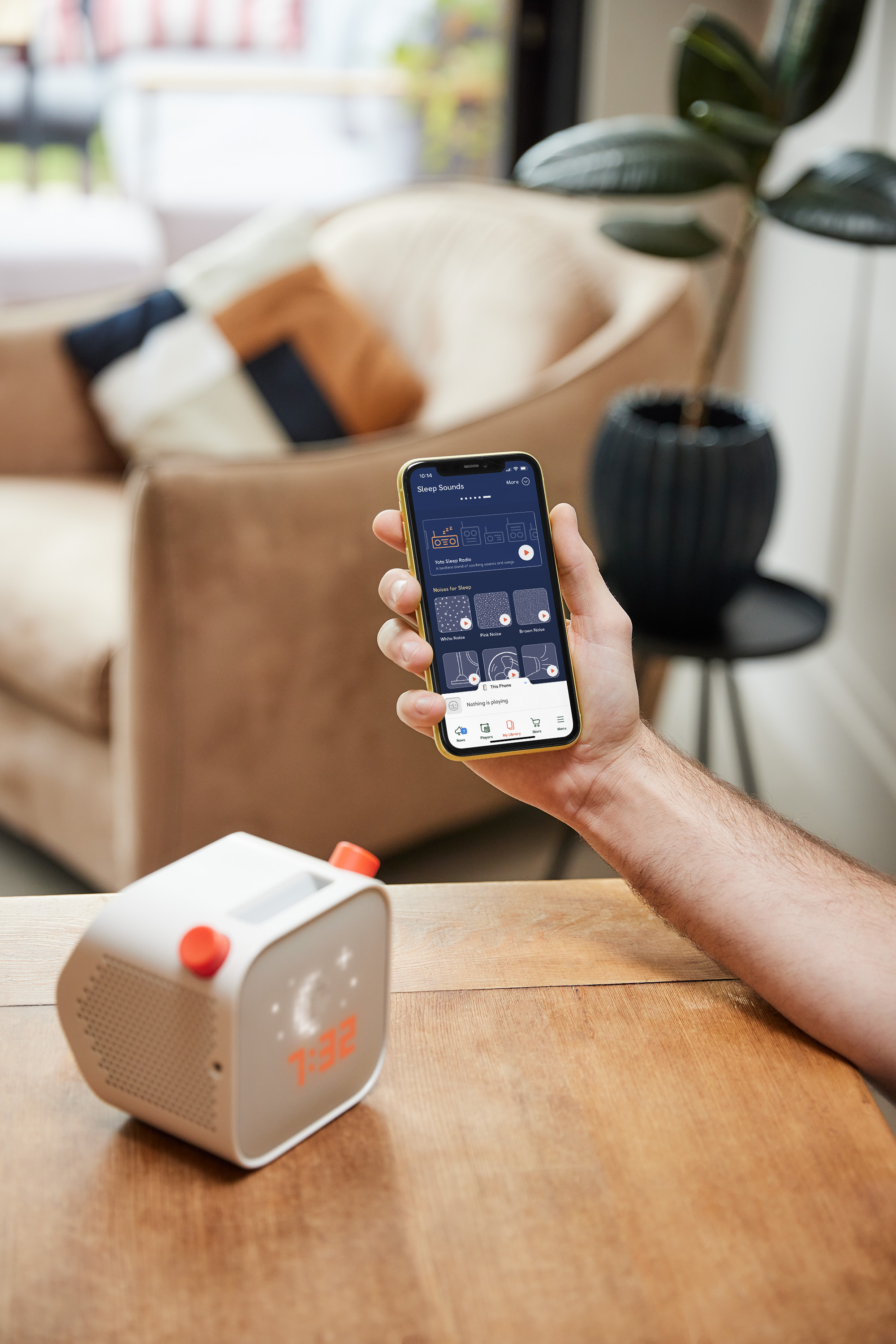
As I mentioned before, you need the Yoto app to be able to set up your player. But once you have it, it’s incredible handy.
Once you’ve inserted your card into your Yoto (or tapped the card at the top of your phone with the app open) it’s added to your card library, which you can access through the app. It’s really useful to have these all together and means you don’t always have to take your cards with you on trips – although it does mean your child won’t be able to switch between stories without your phone.
You can also access various radio stations through the app – Yoto Radio (which plays kid-appropriate pop songs all day long) and Yoto Sleep Radio which plays relaxing music to help your child nod off, as well as the choice to link to some external children’s radio stations. And you can access the Yoto Daily Podcast too.
One thing I love about the app is that I can link multiple players to the one account, so I can keep track of everything in one place.
What kind of cards can you buy for the Yoto?
Even when we bought our first Yoto Player 3 years ago I was impressed then with the choice of Yoto Cards. Now it’s immense!
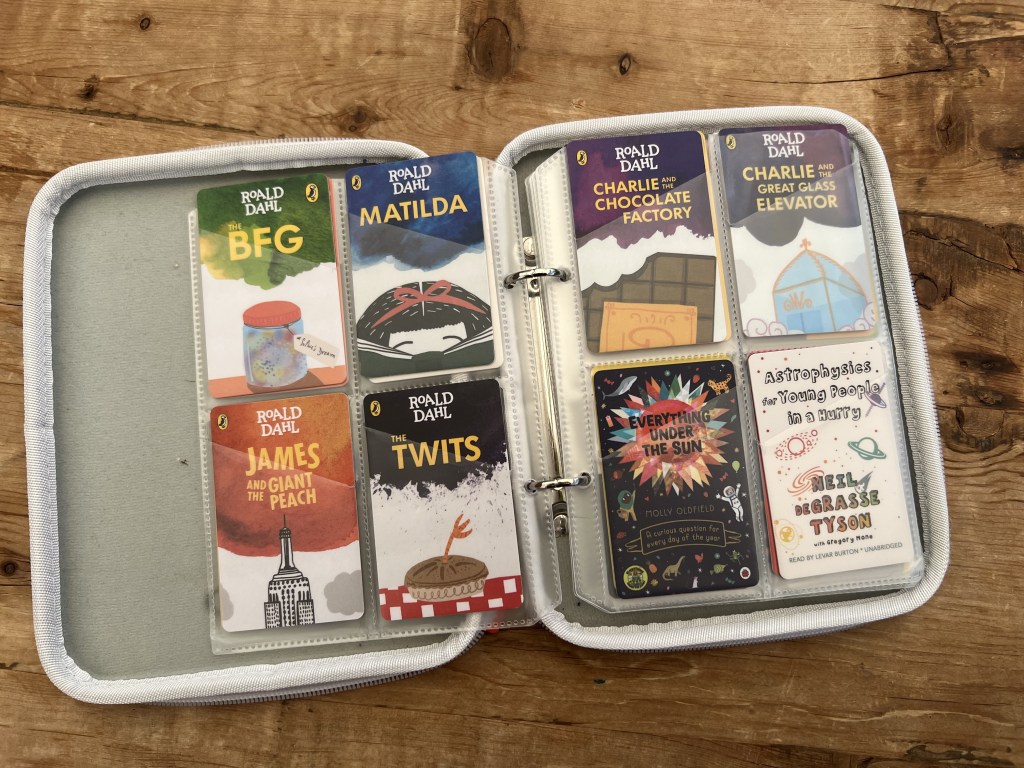
There is such a fantastic and eclectic choice of stories, educational cards and music – in our collection we have everything from Roald Dahl classics to Astrophysics for Young People in a Hurry. They have got the whole spectrum of tastes and ages covered, from Julia Donaldson stories for pre-schoolers to Horrible Histories for older kids. I also love that the choice of cards is very inclusive, covering topics including race and Pride.
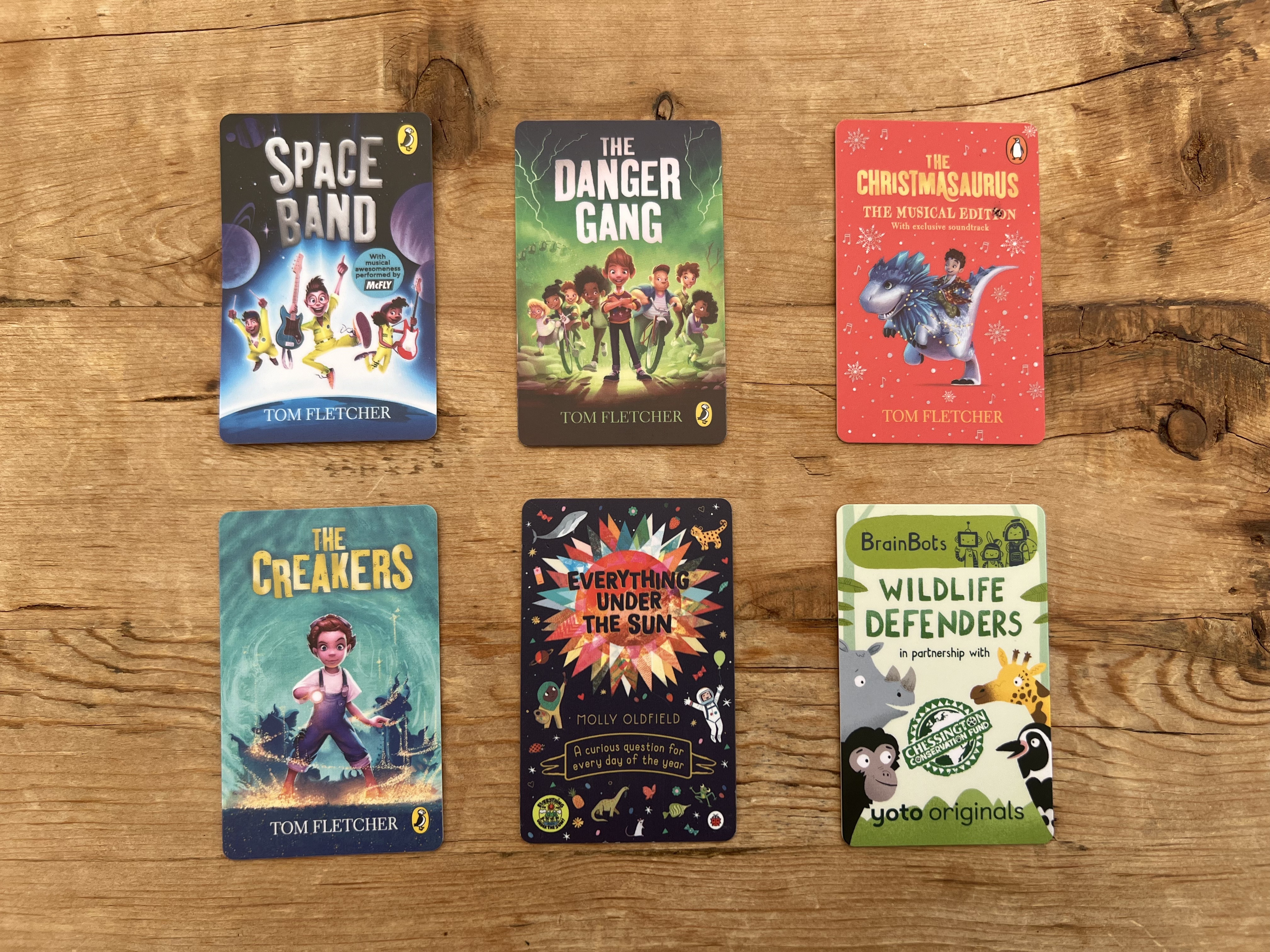
Some of my 8 year old’s favourite Yoto Cards include:
All Tom Fletcher stories. We have Space Band, The Creakers, The Christmasaurus, and The Danger Gang – all played on repeat.
Everything Under the Sun. Perfect for curious kids, this card answers a question for every day of the year including “Why do hammerhead sharks have such strange-shaped heads.” Disclaimer: Prepare to be inundated with facts by your child even more than usual.
BrainBots Wildlife Defenders. A Yoto Original card that is packed with facts about endangered species, all wrapped up in an engaging story.
On average, cards cost between £7.99 and £12.99, but you can get digital cards (where it’s directly downloaded onto your app rather than you being sent a physical card) for a few pounds, and big bumper sets for £40+. It can be expensive to build up a big library of cards, but I’ve found the price-per-play works out really reasonably.
What to do if you lose a Yoto Card?
As long as you’ve tapped the card in the app or played it once on your Yoto Player, it doesn’t matter if you lose the card as it will be downloaded to the app. You can always play cards directly from here whether you have the psychical copy or not.
How to make a Make Your Own Yoto Card
I love the Make Your Own card feature on the Yoto Player. You can buy a pack of blank cards in packs of 5 for £12.99, or 10 for £19.99, for you to add your own audio content. Via the app you can record your own story, import an MP3 or add a digital card to one of these physical Yoto Cards. It’s so easy. I really like the idea of making ‘mix tapes’ for your children, or recording yourself reading a bedtime story for nights when you might be away.
What kind of features are there on the Yoto Player?
There’s a lot more to the Yoto than being simply an audio player. Here are some of my favourite features of the Yoto Player:
- Yoto Daily Podcast. Featuring jokes, quizzes, interactive games/draw-alongs and child-appropriate news (happy headlines), the daily podcast is a massive hit with my son who turns in every morning when he wakes up.
- Radio. Playing a non-stop, ad-free mix of clean pop songs kids love, I often hear this blasting out of my son’s bedroom.
- Clock. The cool pixel front shows the time (you can choose between 12hr or 24hr clock in the app). You can set in the app when you want ‘wake times’ to be, and the display turns from a sun behind the clouds to stars.
- Sleep trainer light/night light. If you’re using the Yoto Player with a younger child, this is an excellent feature. Flip the Yoto Player face down and the edges softly light up (you can choose the colour in the app). It works as a nightlight, and you can choose to change colours to let your child know it’s time to get up.

What age is the Yoto Player suitable for?
It’s aimed at children age 3 to 12+, and I genuinely believe the Yoto Player is the kind of device that can really grow with your child. It’s been fascinating watching how my children have used their Yotos over the years. I think with the ever-growing library of cards on offer this is something that will really last through the primary school years and into secondary too.
How long does the battery last on the Yoto Player?
The 3rd generation Yoto Player has an immense battery life. We’ve got around 20+ hours out of the Yoto on a single charge and never had an issue with it running out mid car journey.
Is the Yoto Player good for travelling?
We’ve taken our Yoto Player on many holidays and it’s been a lifesaver, however, it is pretty bulky. I’ve been testing out the Yoto Mini (a much smaller, simplified Yoto Player) for work and think this is what we’ll be taking away with us from now on as it’s such a great compact size.
On the whole, the Yoto is fantastic for travelling though, offering all the screen-free entertainment you need to get through flight delays, traffic jams and keeping that bedtime routine intact when away.

Should I buy a Toniebox or Yoto Player?
Through my work as a parenting writer, I find this is a question I get asked A LOT. While the cost is pretty similar – currently £89.99 for a Yoto Player and £79.95 for a Toniebox – with individual Tonies costing slightly more than Yoto Cards, they definitely offer different things.
My 4-year-old daughter is obsessed with her Toniebox and would pick this over the Yoto any day. However my son has been using his Yoto since he was 5 and loves it. I think Toniebox is a perfect choice for younger children – it’s so simple to operate and the cute Tonies are kid-magnets. In fact, I’d say a Toniebox is a worthwhile investment from birth (there’s some sweet baby lullaby Tonies) to see you right through until the early primary school years. I’ll write a full review of the Toniebox soon.
However, if it’s longevity you’re after or something for an older child, you really can’t beat the Yoto. It feels more ‘grown-up’ and has more features to explore, as well as an ever-expanding library that appeals to older primary school age kids.
What accessories can you buy for the Yoto Player?
There are various accessories you can buy, but if could recommend just 3 it would be:
- Yoto Player Adventure Jacket, £24.99. Helps protect your Yoto Player and has a useful handle for carrying around. Ideal for travelling.
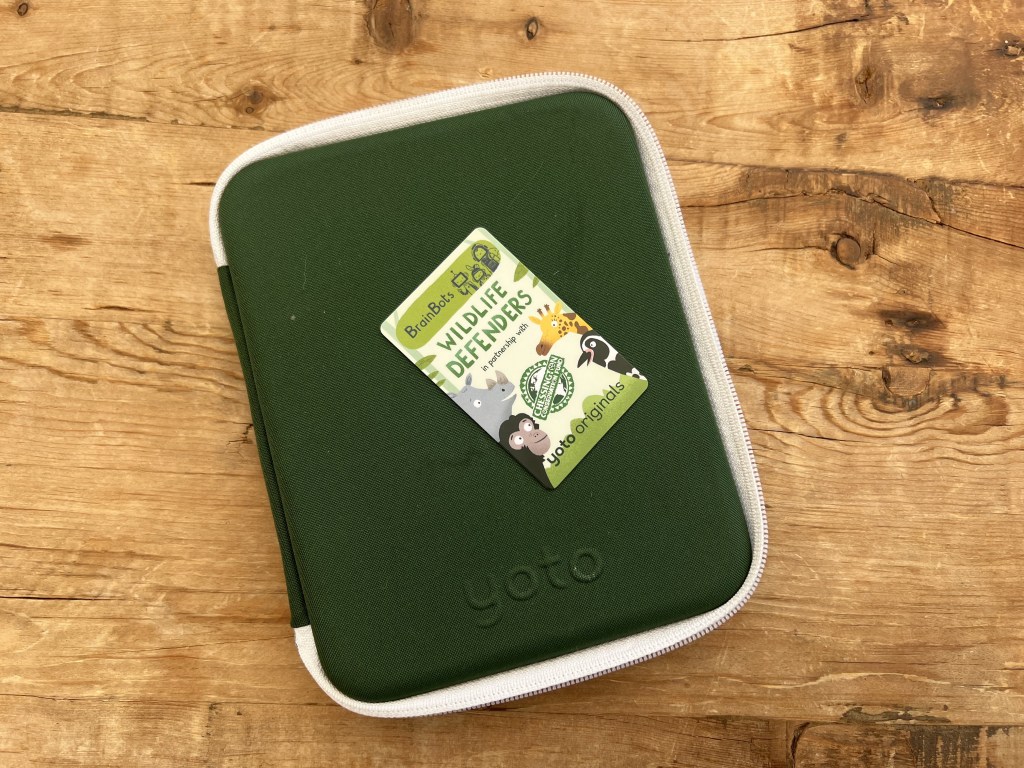
- Card Case, £24.99. This hard-shell case has room for 64-cards. Perfect for keeping everything in one place at home and when travelling. So handy.
- Wireless headphones, £34.99. A great quality pair of Bluetooth headphones with a decent battery life (20 hours) and kid-safe volume limiting.
Is the Yoto Player worth the money?
With an RRP of £99.99 – although currently retailing at £89.99 on the Yoto website at the time of writing (June 2024) – the Yoto is an investment. Add in the cost of each Yoto Card and the cost can quickly add up. However, I feel it is absolutely worth every penny.
The Yoto Player is a part of our daily family life now. It has helped my son fall asleep, is a sacred part of our bedtime routine, doubles as a clock, is the perfect travelling companion and has nurtured a love of stories. Screen-time is an issue with primary school children, and we love that this is an exciting screen-free option that our children love. I cannot rave about the Yoto Player enough. It’s amazing!
Where can I buy a Yoto Player?
You can buy your Yoto Player directly from the Yoto website for £89.99. There’s a load of options for different bundles, so it’s worth having a look through to see which one would make the best starter pack for your family.
Hopefully this has answered all your questions and helped with your decision on whether to buy a Yoto Player or not. Comment below to let me know what you think.
FYI. This post includes affiliate links





Leave a Reply